I reviewed and ranked 25+ best LinkedIn automation tools of 2026
Published:
December 26, 2023
Updated:
October 13, 2026
LinkedIn automation tools are the closest thing to cloning yourself; they handle the repetitive outreach grind while you focus on actual relationship-building and closing.
What can you automate? Quite a lot: connection requests, follow-up sequences, inbox management, profile visits, voice messages and even content creation. Done right, it compounds your efforts. Done lazily, it gets your account flagged or banned.
How did we test these tools?
We tested the outreach and prospecting tools in this list ourselves, between January and August 2026. Victorian, Head of Success, and Nadja, Head of Sales, logged in and out of each tool, ran outreach campaigns from two LinkedIn accounts on free trials, and measured connection acceptance, message sends, limit warnings, account restrictions, and monthly cost against HeyReach's internal benchmarks. Our content team tested content tools like Buffer, Adobe Express, and Taplio to see what they can do for a LinkedIn presence. We reviewed the remaining tools on pricing, features, and reviews from platforms such as G2 and Captera.
How do LinkedIn automation tools work?
LinkedIn automation involves using software to handle tasks on your profile, aiming to build a more comprehensive and active presence.
The leading growth teams don’t treat these tools as fancy tricks, but practical, must-have tools for handling the grunt work of networking & lead generation on LinkedIn.
Each category handles a different part of the job:
- LinkedIn prospecting tools: gather and enrich lead data so you know who to contact.
- LinkedIn outreach tools: send connection requests, follow up on messages, and send personalized voice messages.
- Engagement tools: keep your profile active by liking, commenting, and sharing on a schedule.
- LinkedIn content tools: plan, write, and schedule posts without a last-minute rush.
Does LinkedIn allow automation tools?
It's important to remember, though, that while LinkedIn officially discourages the use of third-party automation tools, there's a nuanced understanding of their role.
LinkedIn’s main concern is spammy, high-volume activity that degrades the experience for its members. Outreach that is personalized and paced like human activity carries much lower level of risk than mass messaging, which is why we focus on pacing, personalization, and clear limits to keep your account safe and sound.
Which LinkedIn prospecting tools are worth using?
Prospecting tools gather the data you need for market research and lead generation. LinkedIn Sales Navigator is the obvious starting point, but teams usually notice gaps in data quality and workflow as they grow.
1. PhantomBuster
PhantomBuster is one of the best LinkedIn automation tools due to its data extraction, code-free automation, and LinkedIn prospecting capabilities — designed to automate tasks across LinkedIn, Sales Navigator, Instagram, Google, X (Twitter), Facebook, Reddit, and more.

For more information read PhantomBooster review
Key LinkedIn prospecting features of PhantomBuster:
- LinkedIn network booster: Automates sending invitations and connecting with a list of LinkedIn users.
- LinkedIn data enrichment: Gathers data such as names, titles, and positions from LinkedIn profiles.
- LinkedIn message sender: Enables automated sending of personalized messages to LinkedIn connections.
- LinkedIn auto commenter/liker: Engages automatically with posts of connections and other LinkedIn users.
- 130+ pre-built automations (Phantoms): No-code automation templates that run in the cloud 24/7 — including Sales Navigator scrapers, profile enrichment, post engagement, and multi-step outreach workflows.
- CRM integrations: Native bi-directional sync with HubSpot and Salesforce. Also integrates with Pipedrive, Zapier, Make, n8n, Slack, and Google Sheets.
- MCP server: Ships an MCP server for Claude, ChatGPT, and other AI tools on every plan, including the free trial — so its automations are already reachable from AI workflows out of the box.
💸 Plans and Pricing:
PhantomBuster's pricing is based on three core resources: execution hours (how long automations run per month), phantom slots (how many automations run simultaneously), and email credits (for contact enrichment) + AI credits and URL finder credits on top. Unused hours do NOT roll over.
- Free trial (14 days, no card required): 5 slots, 2h execution, 50 email credits. Exports capped at 10 rows.
- Start: €56/month — 5 slots, 20h runtime, 500 email credits; for basic LinkedIn automation workflows.
- Grow: €128/month — 15 slots, 80h runtime, 2,500 email credits; for running multiple workflows with higher volume.
- Scale: €352/month — 50 slots, 300h runtime, 10,000 email credits; for always-on automation with max volume and support.
All plans include unlimited users, AI and URL finder credits, and an MCP server for Claude/ChatGPT.
🚀 Bottom Line:
PhantomBuster is ideal for users seeking to enhance their LinkedIn prospecting and outreach strategies through automation and data extraction. It's particularly beneficial for those who need to enrich data and automate interactions across multiple platforms.
Bear in mind the learning curve: basic Phantoms are quick to set up, but complex multi-step workflows take more time. Also note that unused execution hours expire each month, so plan your automation volume carefully to avoid wasted capacity. Also always check the data you get, as people on review websites are mentioning issues with data accuracy.
2. AeroLeads
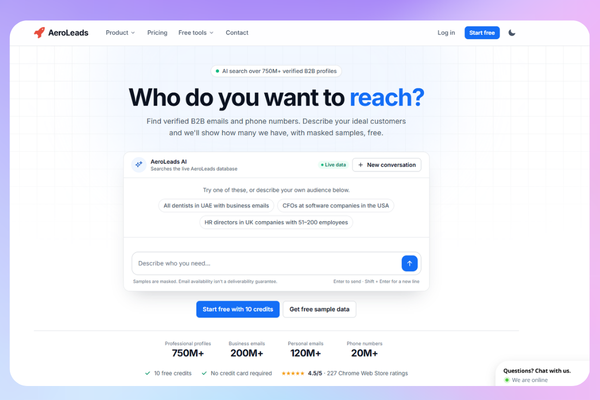
AeroLeads made it to this list because of its specialty in finding verified business emails and phone numbers, allowing you to connect with decision-makers in your niche.
Designed to enhance lead generation by automating the process of gathering contact information and integrating seamlessly with LinkedIn, Sales Navigator, and other platforms like Crunchbase and AngelList.
Key LinkedIn prospecting features of AeroLeads:
- Email and phone number extraction: Finds updated and relevant emails and phone numbers from LinkedIn profiles. Database covers 650 million+ business profiles.
- Integration with top CRM solutions: Works smoothly with CRM platforms like Salesforce, HubSpot, Pipedrive, Zoho, FreshSales, Mailchimp, and Zapier.
- Chrome extension: Easy-to-use extension for extracting emails and adding prospects from LinkedIn and other websites.
- Real-time email validation: Ensures the data collected is current and valid.
- Customizable messaging: Allows for personalized outreach to prospects.
- Automate prospecting with pro plugin: Add over 2,500 prospects from LinkedIn and Sales Navigator with a single click.
💸 Plans and Pricing:
- Take Off: $49/month — Basic lead generation features.
- Climb: $149/month — Advanced search and prospecting capabilities.
- Cruise: $299/month — Comprehensive lead generation and CRM integration.
- Enterprise: Custom pricing — Full-scale enterprise solutions with API access.
A free trial with 10 free credits is available, no credit card required.
🚀 Bottom Line:
AeroLeads' strength lies in providing verified contact information and integrating with various CRM platforms, making it a solid asset for personalized outreach and lead nurturing.
It's more affordable than enterprise alternatives like ZoomInfo, making it accessible for SMBs and startups. The main limitation is data accuracy; some emails and phone numbers can be outdated, so pairing AeroLeads with an email verification layer is recommended for high-volume campaigns.
3. UpLead
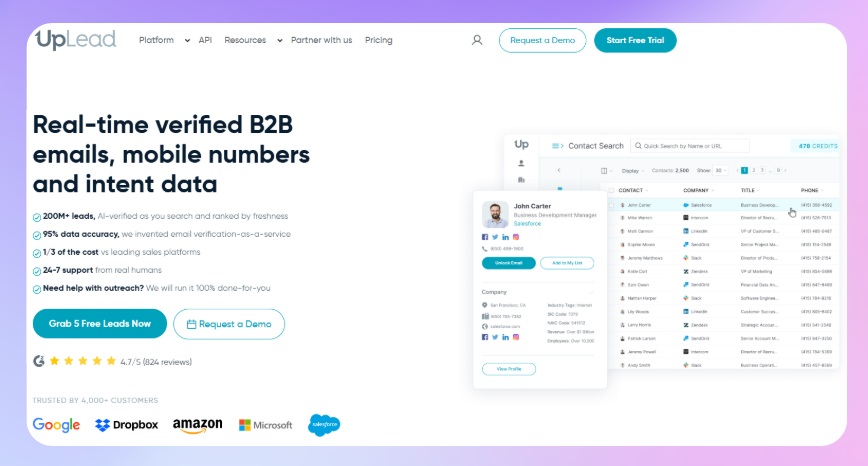
UpLead is a B2B LinkedIn prospecting tool that excels in providing high-quality contact and company data, essential for effective lead generation. It does not require LinkedIn Sales Navigator to function which is a key advantage over tools like Wiza.
Key LinkedIn prospecting features of UpLead:
- Advanced filtering: Utilizes over 50 filters to streamline prospect searches.
- Bulk processing: Manages large volumes of data efficiently.
- Rich profiles: Offers detailed insights into leads for better assessment.
- Technographics: Identifies leads based on the technology they use.
- Data-driven: Enriches databases with extensive data on prospective leads. 40M+ business contacts and 30M+ decision-makers in the database.
- Account-based marketing: Targets specific accounts for focused lead generation.
- Real-time verification: 95% email accuracy rate with real-time verification at the point of export, you only use credits for valid contacts.
💸 Plans and Pricing:
All plans use a monthly credit system; credits do NOT roll over:
- Free Trial: 5 credits, valid for 7 days — enough to test data quality.
- Essentials: $99/month — 170 credits/month, email verification, mobile direct dials, CRM integrations.
- Plus: $199/month — Higher credit volume, enrichment API access, more advanced features.
- Professional: Custom pricing (annual billing only) — Buyer intent data, full API access, advanced analytics.
Note: Credits expire at the end of each billing period; unused credits are lost at renewal.
🚀 Bottom Line:
UpLead is recommended for businesses doing B2B prospecting that require high data accuracy. Its 95% accuracy guarantee and real-time verification make it more reliable than many database tools. Its advanced features, from technographic analysis to ABM, make it suitable for businesses intent on refining their lead generation strategies.
The main limitation is the credit expiry policy; teams with irregular prospecting activity lose value every month.
4. Wiza
Wiza stands out as a Chrome-based sales outreach and email enrichment tool uniquely designed for seamless integration with LinkedIn's Sales Navigator. It simplifies the process of getting verified leads and email addresses, making it a valuable asset for sales teams looking to enhance their LinkedIn prospecting.
Wiza requires an active LinkedIn Sales Navigator subscription to function and this adds from $79 to $149/month to your actual cost.
Key LinkedIn prospecting features of Wiza:
- Sales navigator automation: Effortlessly export leads and emails from Sales Navigator to CSV or CRM.
- Salesforce integration: Direct integration with Salesforce to boost outreach campaigns. Also integrates with HubSpot, Outreach, Salesloft, and more.
- Profile finder: Automatically identifies emails for specific LinkedIn profiles.
- Real-time verification: Only charges credits for successfully verified emails. Risky or undeliverable contacts don't consume credits.
- Phone number enrichment: Find mobile and direct phone numbers alongside email addresses; available on Email + Phone plans.
💸 Plans and Pricing:
- Free Plan: $0 — 20 emails and 5 phones/month. No credit card required — useful for testing.
- Starter: $49/month — 100 email credits, 100 phone credits (monthly only). Overage: $0.15/email, $0.35/phone.
- Email: $99/month (or $83/month annually) — 500 email credits/month.
- Email + Phone: $199/month (or $166/month annually) — Emails + phone numbers.
- Team Plan: custom pricing billed annually — 3+ users, unlimited emails + phones, API access, dedicated success manager.
🚀 Bottom Line:
Wiza is built for sales teams who want efficient, verified lead pulls straight out of Sales Navigator, and the "only pay for valid contacts" model is genuinely fair. The annual plans are worth a hard look if you're doing real volume — unlimited reveals capped by exports, not credits, is a better deal than the monthly tiers.
Two things to weigh in before committing: credits don't roll over on monthly plans, and the Sales Navigator dependency adds real cost on top of the subscription. I'd also flag that Wiza's Trustpilot profile — a small, unprompted sample, so take it as a signal to investigate rather than a verdict — has a recurring thread of complaints about billing and about personal data being collected and published without consent. Worth asking their support team directly about data-handling and cancellation policy before you commit, especially on an annual plan.
5. Apollo
Apollo.io is one of the most widely used all-in-one B2B sales intelligence and prospecting platforms, combining a 275M+ contact database with AI-powered research, email sequencing, and CRM integrations — all under one roof. It's particularly popular with SDR teams and founders who want to find leads, enrich data, and manage outreach without juggling multiple tools.
Note on LinkedIn: Apollo's LinkedIn play is a Chrome extension for one-click contact enrichment and prospecting straight from LinkedIn profiles — it's a data and research layer, not a LinkedIn automation tool. Pair it with a dedicated tool like HeyReach for actually running LinkedIn outreach.
Key LinkedIn prospecting features of Apollo.io:
- 275M+ contact database: Search and filter across 275M+ verified B2B contacts using 65+ filters — industry, company size, job title, seniority, technology stack, funding status, and more.
- Chrome extension: Browse LinkedIn profiles and export contact data directly into Apollo with a single click.
- AI Research & AI Agents: Apollo's AI assistant researches prospects, scores leads, and (on paid plans) runs automated workflows on top of your sequences.
- Data enrichment: Real-time enrichment with job changes, company news, technographic data, and waterfall enrichment across multiple data sources.
- Buyer intent data: 1 intent topic on the Free plan, scaling to 6 on Basic/Professional and 12 on Organization.
- CRM integrations: Native bi-directional sync with Salesforce, HubSpot, Pipedrive, and others.
- Call recording & AI insights: Built-in calling with AI-generated call insights — 150 minutes on Free, 4,000 on Professional, 8,000 on Organization.
💸 Plans and Pricing:
Apollo now runs on one unified credit pool per seat (previously split into separate data and email credits), granted upfront on annual plans or monthly on month-to-month billing.
- Free: $0 — 75 credits/month, 2 sequences, 1 intent topic, API access, basic filters.
- Basic: $49/seat/month billed annually (or $65/month) — 30,000 credits/year, unlimited sequences, 6 intent topics, CRM integrations.
- Professional: $79/seat/month billed annually (or $99/month) — 48,000 credits/year, AI Agents, A/B testing, unlimited meeting events, 14-day free trial.
- Organization: $119/seat/month billed annually only, 3-seat minimum — 72,000 credits/year, 12 intent topics, SSO, advanced security, bring-your-own LLM API key.
🚀 Bottom Line:
Apollo remains one of the best-value prospecting platforms out there in 2026: the database size, built-in AI research, and CRM sync in one place is genuinely hard to beat for the price, especially now that credits and intent data reach further down into the cheaper tiers than before. It's honest about what it isn't, too: no LinkedIn message or connection automation, so budget for a dedicated tool like HeyReach alongside it if that's part of your workflow.
Which LinkedIn outreach tools send messages at scale?
The main options for LinkedIn-first teams include HeyReach, Expandi, Dripify, and Waalaxy. You'll find reviews of most of them on our comparisons page.
6. HeyReach
HeyReach runs LinkedIn outreach across multiple accounts at once, so agencies and sales teams can reach 1,000+ prospects a week. It's built for lead gen agencies, sales teams, and growth operators.
Key LinkedIn outreach features of HeyReach:
- Multiple senders: Solve LinkedIn's limit of 20–40 connection requests per day per account by enabling outreach from multiple accounts. Synchronize multiple senders on the same outreach sequence, auto-rotating through them to maximize your outreach while staying within LinkedIn's rules.
- Unibox: All your conversations from various accounts merged into one unified inbox. Easily manage conversations on behalf of your team, reply with voice notes directly from desktop, and handle responses efficiently, all without the hassle of logging in and out of multiple accounts.
- List Operations: Create highly targeted lead lists by cross-matching different criteria, such as event attendees and group members, or by combining multiple LinkedIn searches. Cleverly circumvents LinkedIn's limit of showing only 1000 prospects per search for free users. By connecting multiple accounts to perform the same search, HeyReach combines the results into one comprehensive list, removing any duplicates.
- Blacklist: Add and manage blacklisted people and companies, or import up to 1,000 at once via CSV, and HeyReach automatically excludes them from every campaign — excluded leads and the reason show right in Campaign Analytics.
- Campaign Sequence with Branching: Choose your outreach path like a choose-your-own-adventure book. Create sub-sequences that activate based on whether a connection request is accepted or not. Use "If Connected" logic to segment current connections from new prospects.
- AI voice notes: Record one voice note and every lead gets the same clip, like any other tool with voice notes — or skip recording entirely: write your message with personalization variables, and HeyReach turns it into audio in your sender's voice.
- Shared Sales Navigator Access: One account for the whole team? HeyReach has you covered. A single Sales Navigator account is enough for the whole team.
- MCP (Model Context Protocol) integration: Exposes HeyReach actions to AI tools like Claude, enabling natural language control of LinkedIn outreach workflows directly from your AI stack
- Workspaces: Isolated environments for managing separate client campaigns, each with their own senders, sequences, and reporting; purpose-built for agency use cases
- Native Integrations & API: HeyReach integrates natively with HubSpot, Pipedrive, Clay, Make, Zapier, n8n, and more. It also offers native multichannel outreach via integrations with Instantly and Smartlead for cold email, allowing you to run LinkedIn + email campaigns from one workflow.
- Master View: A centralized dashboard for managing all workspaces and client accounts in one place, purpose-built for agencies.
💸 Pricing Plans:
HeyReach charges per LinkedIn sender (connected account), not per user, meaning you can invite unlimited teammates, VAs, and clients at no extra cost.
- Starter Plan: $79/sender/month (drops to $59/sender/month if you connect 10+ accounts). Includes dedicated residential proxy per sender, unlimited campaigns, and all core features. 14-day free trial with 3 LinkedIn accounts — no credit card required.
- Agency Plan: $1,399/month for up to 50 LinkedIn accounts.
- Unlimited Plan: $2,999/month for unlimited LinkedIn accounts.
- Done for you: Custom pricing. The team that built HeyReach handles everything.
For more information, check out this in-depth HeyReach review and tutorial
🚀 Bottom Line:
HeyReach fits agencies and sales teams that run outreach at volume. Because it charges per sender, you pay for accounts rather than seats, which matters when you run several accounts or clients. If LinkedIn is your main growth channel, its Clay integration, multichannel options through Instantly and Smartlead, and API make it a strong fit for signal-based, personalized outreach.
📥 Want to scale LinkedIn outreach? Start your first campaign for free and add unlimited users - no credit card required.
📥 Want to scale LinkedIn outreach? Start your first campaign for free and add unlimited users - no credit card required.
7. Expandi
Expandi does everything from LinkedIn automated messaging to integrating with other marketing tools and even email outreach. Technically, it's a multi-channel outreach tool, but its primary focus is LinkedIn.
Read in-depth Expandi review
Key LinkedIn outreach features of Expandi:
- Webhooks: Integrates with other marketing tools and Zapier for omni-channel growth hacks.
- Smart inbox: A solution to LinkedIn's clunky inbox, making it easier to manage multiple accounts and boost customer engagement.
- Dynamic personalization: Takes messaging beyond basic personalization with custom variables, personalized images, and GIF messaging, leading to high response rates. Note: image and video personalization features (via Hyperise and Sendspark) require separate paid subscriptions on top of the base price.
- Safety: Provides a dedicated and local IP address, ensuring consistent login locations for LinkedIn account safety. Includes automated account warm-up that gradually increases activity limits to reduce restriction risk.
- Smart sequences: Conditional if/else campaign logic that adapts based on prospect behavior — including profile views, post engagement, connection status, and event attendance.
- A/B testing: Test different messaging approaches to optimize reply rates.
💸 Plans and Pricing:
- A 7-day free trial is available with no credit card required.
- Business: $99/month — LinkedIn + email outreach automation; unlimited campaigns, multichannel sequences, and safety features
- Agency: custom pricing — for 10+ seats; includes team management, white-label, reporting, and dedicated support
🚀 Bottom Line:
Expandi is ideal for growth hackers, agency owners, and those managing multiple LinkedIn accounts. Its user-friendly dashboard and quick account switching make it a strong choice for those prioritizing safety and advanced personalization in their LinkedIn outreach. That said, prospective buyers should factor in the real total cost if advanced visual personalization is part of your strategy.
8. Salesflow (prev. GrowthLead)
Salesflow is a LinkedIn and email outreach tool designed for those looking to pack their sales funnel with fresh leads, offering a suite of features that not only attract leads but also manage them efficiently with AI-driven reply detection and multichannel workflows.
For more information, check out SalesFlow review
Key LinkedIn outreach features of Salesflow:
- Multiple campaign creation and scheduling: Tailor and schedule various campaigns to target different market segments effectively.
- Filtering for prospect search: Pinpoint your ideal prospects with sophisticated filtering options.
- Personalized campaign messages: Craft messages that resonate with each segment, enhancing the personal touch in your outreach.
- Unlimited follow-up messages: Set up as many follow-ups as needed to maximize response rates, up to 2,000 follow-up messages per month on the single-user plan.
- Smart and customizable inbox: A unified inbox equipped with AI reply detection, advanced filters, and tags for efficient lead management.
- Live campaign insights: Gain a clear understanding of your connection volumes and response rates for continuous improvement.
- CSV importing: Import your data into and from CSVs.
- Multichannel outreach: Combine LinkedIn and email sequences in a single workflow. Salesflow supports up to 400 LinkedIn invites and 800 Open InMails per month on the base plan.
💸 Plans and Pricing:
- Basic: $99/seat/month — entry plan for individuals; multichannel outreach, inbox, analytics, integrations
- Starter: from $70/seat/month — for teams (5+); same core features at lower cost per seat
- Pro: from $39.95/seat/month — for larger teams (20+); adds priority support, early features, and better scaling
- Agency: from $29.98/seat/month — for agencies (50+); includes whitelabel and bulk seat pricing
- Enterprise: from $24.99/seat/month — for large orgs (100+); lowest cost per seat with full features and support
🚀 Bottom Line:
Salesflow is a solid mid-market option for data-driven LinkedIn prospecting. It's targeted at users who value detailed analytics, advanced personalization, and the ability to manage multiple campaigns and leads efficiently.
While it may not be the best starting point for beginners, for seasoned LinkedIn marketers and sales professionals, Salesflow offers a comprehensive suite of tools making it among the best LinkedIn lead generation tools.
Note: Salesflow has no built-in account warm-up, so LinkedIn accounts should be manually warmed before starting automation. There is also no shared inbox across accounts, which limits its appeal for agencies needing multi-account management at scale.
9. Botdog
Botdog is a lightweight LinkedIn automation and inbox management tool built for professionals who want to scale outreach safely without turning LinkedIn into a full-blown CRM system.
Unlike heavy multi-channel sales engagement platforms, Botdog focuses specifically on LinkedIn. It helps users automate connection requests and follow-ups, manage conversations, and organize relationships directly inside LinkedIn — while staying aligned with account safety best practices.
Botdog is designed for founders, consultants, recruiters, and lean sales teams who want more structure and automation without risking account restrictions or dealing with complex setups.
Key LinkedIn outreach features of Botdog:
- Smart automation: Schedule connection requests and follow-ups that adapt based on prospect behavior
- AI personalization: Generate tailored messages using prospect data
- Inbox management: Tag conversations, add notes, and track relationships
- Follow-up reminders: Prevent deals from slipping through the cracks
- Multi-account support: Manage outreach across multiple LinkedIn accounts
- Team collaboration: Delegate outreach without sharing LinkedIn logins
- Advanced analytics: Track response rates and campaign performance
- Cloud-based infrastructure: Runs even when you're offline
- LinkedIn-safe approach: Built-in safeguards to reduce suspension risks
- Rich media messages: Send images, GIFs, and video links directly in outreach sequences (available on Professional and above plans)
💸 Plans and Pricing:
- Solo: $79/month ($55.33/month billed annually) — 1 sender, unlimited campaigns, full AI toolkit, API & integrations included.
- Agency: $299/month ($209.33/month billed annually) — 5–40 senders; everything in Solo plus onboarding, migration, and priority support.
- Managed: from $690/month per seat — fully done-for-you outbound with a dedicated manager and reporting.
🚀 Bottom Line:
Botdog is ideal for professionals who want structured LinkedIn automation without overcomplicating their workflow. It doesn't have sender rotation accross accounts in a single camaping,
10. Skylead
Skylead builds its pitch around personalized outreach on LinkedIn and email, run through automated campaign sequences.
Key LinkedIn outreach features of Skylead:
- Smart inbox: Read and reply to LinkedIn messages and emails in one place, with reply templates and labels.
- Smart sequences: Conditional if/else logic for automated LinkedIn messages and emails.
- Drip campaigns: Send personalized invites to 3rd-degree connections.
- Multi-campaign capability: Run several campaigns at once to target different markets.
- Message personalization: Add custom messages, GIFs, and images to your outreach.
- Smart reply detection: Stops the sequence as soon as a prospect replies.
- Email discovery & verification: Finds and verifies business emails to cut bounces and reach prospects who aren’t active on LinkedIn.
- Unlimited email automation: Connect unlimited email accounts and warm them up for free.
- Integrations: Connects with CRMs and other software.
- Real-time insights: Analytics for tracking your LinkedIn activity.
- Cloud-based: Runs remotely with a dedicated IP, plus 24/7 live support.
💸 Plans and Pricing:
- All-in-one: $100/seat/month — LinkedIn + email outreach, email finder, CRM sync, 100k emails/month.
- Agency: $999/month for 25 seats (first-year promo), or $1,999 for unlimited.
- Annual: custom pricing, pay 10 months and get 12.
7-day free trial.
🚀 Bottom line:
Skylead is built for the operator who wants to design the multichannel logic themselves: if/else sequences, LinkedIn and email in one flow, flat $100 per seat. If that’s you, it’s a fair price for a flexible tool. Where we differ is how fast the investment pays off. G2 reviewers report reaching ROI in about 3 months with HeyReach versus 16 with Skylead, so basicly Skylead gives you more to configure, and that costs you time before the first campaign pays back.
11. lemlist
lemlist is a multichannel outreach platform for cold email, LinkedIn, calls, and WhatsApp, with built-in lead enrichment and AI sequence generation.
Read in depth lemlist review
Key LinkedIn outreach features of lemlist:
- Multichannel sequences: Email, LinkedIn, calls, and WhatsApp in one flow.
- Behavioral branching: If someone opens but doesn't reply, trigger a LinkedIn visit. If they connect, send a DM instead of another email.
- LinkedIn automation: Connection requests, profile visits, and messages, included on the Multichannel plan.
- Email warm-up (lemwarm): Improves deliverability.
- AI campaign generator: Builds full sequences across email and LinkedIn.
- In-app calling: Included on the Multichannel plan.
- WhatsApp: Available as an add-on.
Plans and Pricing
- Email: $69, or $55 billed annually. No LinkedIn automation.
- Multichannel: $109, or $87 billed annually. Includes LinkedIn automation and calling.
- Enterprise: Custom pricing.
- 14-day free trial, with a limited-time 30-day offer on the pricing page.
🚀 Bottom Line:
lemlist is strongest when email is your main channel and LinkedIn is the second touch. LinkedIn automation only comes with the Multichannel plan, and the per-user cost adds up quickly for larger teams. If LinkedIn is your main channel, a dedicated LinkedIn tool like HeyReach will usually give you more control at a lower price. But for people who like to have email as a main channel with Linkedin outreach on the side, this is a solid option.
12. Waalaxy
Waalaxy is a LinkedIn and email automation tool that runs in the cloud, with a Chrome extension for importing prospects and logging in. Beginners like it because the setup is short: pick prospects, choose a template sequence, and let it run.
Key LinkedIn outreach features of Waalaxy:
- Pre-built sequences: Choose from ready-made outreach templates for connection requests, messages, and follow-ups. Custom campaigns aren’t available.
- Visual sequence builder: Set up multi-step workflows in a flowchart interface.
- List ordering and filtering: Organize and filter your contact lists for targeted prospecting.
- Smart reply detection: Stops follow-ups once a prospect replies.
- Email finder: Find and verify professional emails to add email steps to your LinkedIn sequences (500 credits a month on Business).
- CRM sync: Connects to 2,000+ tools, and Advanced adds API access plus Make, Zapier, and n8n modules.
- LinkedIn inbox: Available as a paid add-on on every plan.
💸 Plans and Pricing:
- Pro: $16/user/month — LinkedIn outreach basics; 300 invites/month, automated follow-ups, CRM sync
- Advanced: $32/user/month — higher volume (800 invites/month) + live chat support; for scaling outreach
- Business: $55/user/month — multichannel (LinkedIn + email); adds cold email sequences and 500 email finder credits
A 14-day free trial of the Business plan is available.
🚀 Bottom Line:
Waalaxy is ideal for beginners and professionals alike who aim to streamline their prospecting and outreach strategies, especially in multi-channel environments. It's particularly accessible for solo founders and small teams new to LinkedIn automation, but the friction is showing up when you start growing.
The Chrome extension login also carries more flagging risk than a fully cloud-based setup, so ramp volume gradually.
13. Dux-Soup
Dux-Soup has carved out a niche in the LinkedIn automation tool market, known for its ease of use in connecting and engaging with prospects. It operates as a Chrome extension, running directly in your browser. This means LinkedIn must be open for its functionalities to be active, which carries a higher LinkedIn detection risk than cloud-based tools.
Key LinkedIn outreach features of Dux-Soup:
- Drip campaigns: You can connect a dozen actions like visits, connect, message, follow up…
- Lead management: Profile tagging, campaign statistics, action history, contact management tool
- Core automation: Offers features like auto-visiting profiles, sending personalized messages, and endorsing connections.
- CRM integration: Integrates with HubSpot, Salesforce, Pipedrive, and other CRMs. Webhook support available on Turbo and Cloud plans.
💸 Plans and Pricing:
- Stacked Local: $41/month per seat – runs on your own machine, desktop app(Win/Mac)
- Stacked Cloud: $74.17/month per seat – runs on their infrastructure, managed and monitored
A 14-day free trial is available with no credit card required.
🚀 Bottom Line:
Dux-Soup can be great for handling connection request, profile visits, and it integrates with your CRM for a fair price. It is easy to use, flexible and helps solo operators do their job well. But if you are looking for a tool that can help you manage your clients, or scale lead gen operations, there are better options.
14. Meet Alfred
Meet Alfred (formerly Leonard) is a LinkedIn automation and CRM tool that adds email and X steps to your sequences. I ran a campaign through it end to end, and it works best for one person or a small team. For the full breakdown, see our Meet Alfred review.
Key features:
- Campaign manager: Build LinkedIn sequences with personalization tags and action limits. I imported a CSV, and it removed duplicates and verified profiles for me.
- Smart inbox: Reply, attach files, search, filter by tag or unread status, and see the lead’s LinkedIn profile alongside the thread.
- Alfred CRM: Colored tags, custom working hours, and bulk actions on leads.
- Multichannel steps: Add email and X to a sequence (Business plan and up).
- AI Lead Finder: Find and enrich prospects inside the tool (all plans).
- Analytics: Daily, weekly, monthly or custom reports on invitations, connections, profile views, messages and InMails.
- White label: Teams plan and up.
💸 Pricing
- Individual: $35/month per seat ($59 monthly)
- Business: $59/month per seat ($99 monthly), adds Sales Navigator, InMail, Groups and Events automation, and multichannel
- Teams: $47/month per seat ($79 monthly), from 3 seats, adds white label, workspaces and a shared inbox
- Unlimited: Custom quote
🚀 Bottom Line:
A few months ago I built a campaign from a Trigify list, and the setup was easy: a message went out 15 minutes after each accepted connection. The inbox and CRM are the best parts and bulk lead actions saved me time.
It’s a good fit for an operator running one or a few LinkedIn accounts. Teams pay per seat, so ten senders on Teams is $470/month before you’ve sent anything. HeyReach is built for that case, with unlimited senders, workspaces and one unibox for replies.
15. We-Connect
We-Connect is a cloud-based LinkedIn automation tool with a visual campaign builder, AI-assisted messaging, and intent signals. Higher plans add email to the same workflow, so you can run LinkedIn and email from one campaign.
Key LinkedIn outreach features of We-Connect:
- Campaign manager: Runs multiple campaigns against custom audiences.
- Smart reply management: Keeps all prospect conversations in one inbox.
- User management: Adds team members and reports from one dashboard.
- Safety features: Dedicated IP addresses, randomized delays, and duplicate suppression.
- Smart sequences: Chains profile visits, post likes, and follow-ups in one campaign.
- A/B testing: Compares message variations.
- GDPR-compliant consent tracking: Useful for teams prospecting EU contacts.
💸Pricing:
- Growth: $49 per seat per month, billed annually. LinkedIn campaigns only, no multichannel.
- Professional: $59 per seat per month, billed annually. Adds LinkedIn and email campaigns, plus native CRM integrations with HubSpot, Salesforce, Pipedrive, and Zoho.
- Scale: $79 per seat per month. Currently marked as coming soon.
- Agency: Custom pricing for 10 or more seats.
- 14-day free trial, no credit card required.
Bottom line:
We-Connect gives you a lot of campaign control for the price, and it's one of the few tools in this list that builds GDPR consent tracking into the product. If your prospects are mostly in Europe, that alone puts it on the shortlist. Its multichannel features start at the Professional plan, so if you only need LinkedIn, Growth is the cheaper choice.
16. Dripify
Dripify is a cloud-based LinkedIn automation tool for drip campaigns and sales funnels. Because it runs in the cloud, your campaigns keep going when your computer is off.
Read in depth: Dripify review
Key LinkedIn outreach features of Dripify:
- Drip campaigns: Multi-step funnels with connection requests, messages, profile views, endorsements, and follows, with conditional logic ("if connected, if not connected").
- Advanced analytics: Tracks campaign performance and conversion rates, with A/B testing on connection and follow-up messages (Pro and above).
- Lead responding: Automated replies to incoming messages.
- Team management: Real-time team stats and daily activity limits per member (Advanced).
- Safety algorithms: Gradual ramp-up for new accounts (Advanced).
- Webhook integrations: Connects to Zapier, Make, and other tools (Pro and above).
- Email steps: Email outreach inside sequences on select plans.
💸Pricing (per user):
- Basic: from $39 per month. One active drip campaign.
- Pro: from $59 per month. Unlimited drip campaigns, CSV export, webhooks.
- Advanced: from $79 per month. Adds team management and advanced safety features.
- Enterprise: Custom pricing.
- No free plan. 7-day free trial. Annual billing is listed at about 35% off.
Bottom line:
Dripify is one of the easier cloud tools to get a drip campaign running. It's more expensive than browser-based tools, but you pay for an always-on setup and safety features. The Basic plan's single-campaign limit is the first thing you'll hit, so budget for Pro if you run more than one campaign at a time.
17. Octopus CRM
Octopus CRM is a Chrome extension for drip campaigns, connection requests, bulk messages, and profile automation on LinkedIn.
Key LinkedIn outreach features of Octopus CRM:
- Drip campaigns: Automated sequences of LinkedIn actions.
- Advanced analytics: Acceptance and response rates, profile views, and search appearances (Advanced and above).
- Connect by email: Sends invitations by email when a prospect's address is visible on LinkedIn (Unlimited plan).
- Activity control: Alerts you when your activity passes safe thresholds.
- CRM integration: HubSpot, Salesforce, Zoho, and Google Sheets through Zapier and webhooks.
💸Pricing (per user):
- Starter: from $9.99 per month, or $6.99 billed annually.
- Pro: from $14.99 per month, or $9.99 billed annually.
- Advanced: from $21.99 per month, or $14.99 billed annually.
- Unlimited: from $39.999 per month, or $24.99 billed annually.
- 7-day free trial, no permanent free plan.
Bottom line:
Octopus CRM is one of the cheapest ways to run LinkedIn automation from your browser. Because it's a Chrome extension, it runs on your own IP and carries more detection risk than cloud tools, so keep daily limits low and take the Activity Control alerts seriously.
18. La Growth Machine
La Growth Machine is a multichannel outreach tool that runs LinkedIn, email, and calls from one sequence builder. It bills per identity, meaning one connected set of accounts, not per seat.
Key LinkedIn outreach features of La Growth Machine:
- Multichannel workflows: LinkedIn, email, and calls in one sequence
- Lead enrichment: Waterfall enrichment for emails, phone numbers, and social profiles.
- Lead management: Import, segment, and manage leads.
- Performance analysis: Campaign tracking, with A/B testing on Pro and above.
- Integrations: Native HubSpot and Pipedrive sync on higher plans, plus Zapier, webhooks, and API.
- LinkedIn voice messages: Automated voice notes.
- Magic Messages: AI message writer on Pro and above.
💸Plans and pricing (per identity):
- Basic: $60 per month, and 2 months free. Three active campaigns, 250 enriched leads a month, up to three team members.
- Pro: $110 per month and 2 months free. Up to six active campaigns, 400 enriched leads a month, LinkedIn, email, and calls.
- Enterprise: Custom pricing. Unlimited active campaigns, unlimited enriched leads a month, and unlimited emails.
Bottom line:
La Growth Machine is built for teams that want LinkedIn, email, and calls in one place. Its enrichment is included on every plan, which is rare. Per-identity pricing gets expensive when you run several identities, and the campaign caps on Basic and Pro will push you to Ultimate faster than you expect.
19. Reply.io
Reply.io is a multichannel sales engagement platform. It handles email, LinkedIn, calls, SMS, and WhatsApp in one sequence builder, and it now offers an AI SDR product for fully automated prospecting.
Key LinkedIn outreach features of Reply.io:
- Multichannel sequences: Email, LinkedIn, and social messages with conditional branching.
- Analytics: Dashboards for LinkedIn and email results.
- AI assistant (Jason AI): Writes personalized messages and handles prospect research on the AI SDR tiers.
- Team collaboration: Shared LinkedIn actions across the team.
- Email warm-up: Included with the Multichannel plan via integration.
- AI SDR: Handles prospecting and sequences on autopilot.
💸Pricing:
- Email Volume: from $159 per user per month. Email only, unlimited mailboxes.
- Multichannel: from $89 per user per month. LinkedIn automation is a paid add-on at $89 per account per month, and calls and SMS are $29 per account per month.
- AI SDR: from $500 per month, priced by active contacts.
Bottom line:
Reply.io makes sense when LinkedIn, email, and calls all belong in one sequence. Its conditional branching is more sophisticated than most tools at a similar price. But LinkedIn isn't included in the base Multichannel price, so add the LinkedIn account cost to your math before you compare it with a LinkedIn-first tool.
Should you pick a browser or a cloud LinkedIn automation tool?
Pick a cloud tool if you need campaigns to run around the clock. Pick a browser tool if you want the lowest cost for one account on a spare computer.
- Infrastructure: Cloud tools run on the provider's servers, so your outreach is queued and sent there. Browser tools use your computer and your home IP, which can slow your machine and pause when it sleeps.
- Cost: Cloud tools cost more because you pay for hosting and maintenance. Browser tools are cheaper, especially for a single account.
- 24/7 availability: Cloud tools keep running when your computer is off. Browser tools stop when your computer does.
- Account safety: Cloud tools that use dedicated IPs and mimic normal browser behavior carry lower detection risk than extensions on your home IP. No tool is immune. Sending too many requests too fast, or timing everything the same way, can trigger flags whatever tool you use, so conservative limits matter more than the tool type.
Are LinkedIn engagement boosters worth it?
Engagement boosters connect you with pods of people who like and comment on each other's posts. They only help when your content already works well, so our advice is always to write genuine workfolws, and share your knowledge to get attention. LinkedIn's algorithm is better at spotting artificial engagement, so use these tools conservatively and put relevance above volume. Engagement from people in your industry matters more than bulk likes from unrelated accounts.
20. Lempod
Lempod is an engagement pod tool that adds likes and comments to your LinkedIn posts from members of relevant pods, filtered by location and industry.
Key LinkedIn engagement features of Lempod:
- Engagement pods: Join pods filtered by location and industry.
- Automated likes and comments: Members engage with your posts automatically.
- AI-generated comments: Choose from AI comment suggestions.
- View tracking: Tracks views, comments, and likes over time.
💸Pricing (per month):
- Lite: $9.99.
- Starter: $14.99 (550 engagements).
- Essential: $29.99 (1,350 engagements).
- Growth: $72.99 (3,000 engagements).
- Pro: $134.99 (5,600 engagements).
- Agency: $149.99 (14,000 engagements).
- Corporate: $299.99. Enterprise: $399.99.
- Add-ons: Boost control $19.99, scheduling $29.99, Ghost Mode $49.99.
- One-month trial offer on the Unlimited plan at 50% off.
Bottom line:
Lempod is one of the cheapest ways to get early engagement on a post, and it's most useful for individuals and small businesses who want a reach boost on a tight budget. Pods do carry algorithmic risk, since LinkedIn keeps getting better at spotting inauthentic patterns. Use Lempod to support your genuine content, not to replace it.
21. Podawaa
Podawaa uses engagement pods and automation to simulate real interactions on your LinkedIn posts. It also lets you schedule posts and set engagement in advance.
Key LinkedIn engagement features of Podawaa:
- Automated engagement: Comments and likes from trusted pod members.
- Audience targeting: Filters for engagement groups.
- Relevant comments: Selects comments based on the post.
- Post scheduling: Schedules posts and engagement together.
- Engagement group selection: Choose from thousands of groups.
💸Pricing (per month:
- Free: Up to 20 likes and 1 comment per post, 5 boosts a month. Requires the Chrome extension.
- Scale: $66 per month
- Accelerate: $100 per month
- Dominate: $178 per month
Bottom line:
Podawaa is best for personal branding and recruiting on LinkedIn, and its free plan is the easiest way to test whether pod engagement helps your reach before you pay. Start free, measure your reach for a month, and only then move to a paid plan. Pods are a supplement to good content, not a substitute for it.
22. Linkboost
Linkboost is an AI-assisted engagement tool that combines pods, AI comments, scheduling, and analytics in one place.
Key LinkedIn engagement features of Linkboost:
- Targeted engagement pods: Join pods that match your content's topic.
- AI-powered comments: Configurable prompts for comment generation.
- Content curation: Filters your feed toward industry-relevant posts.
- LinkedIn analytics: Real-time KPIs and visual reporting.
💸Pricing:
- Free plan available, with limited posts and one channel.
- Paid plans start at roughly $15 to $30 per month and scale up to around $70, depending on channels and features.
- Check the pricing page for current figures, as they change often.
Bottom line:
Linkboost is a good fit if you want scheduling, comments, and pods in one tool and you'd rather not pay for three separate subscriptions. Confirm the current price and post limits before you buy, because the plan details change often. Like every pod tool, it works best when the comments are specific and the content is good.
Which LinkedIn content tools are worth it?
LinkedIn content tools help you plan, create, and publish content that builds your presence on the platform. Used alongside outreach and engagement tools, strong content gives your profile credibility before a prospect even replies to your message, and help you gather your ICP in one place, and improve your overall branding.
23. Buffer
Buffer is a social media scheduler and analytics tool. It handles LinkedIn, X, Threads, Bluesky, and Substack Notes from one place, with a free plan and paid plans priced per channel. Our marketing team loves using it, and I love that it is not expensive.
Key features of Buffer:
- Post scheduling: Plan and queue posts across channels. Paid plans have no post limit beyond a fair-use cap.
- Analytics: 30-day insights on the free plan, with advanced analytics, performance overview, custom reports, and branded reports on paid plans.
- Substack Notes scheduling: Plan Notes in advance and set publish times. Available on the free plan, launched in September 2026.
- Crossposting: Send a Substack Note to X, LinkedIn, Threads, and Bluesky from the same draft.
- Team features: Collaboration on drafts and multiple Substack accounts on paid plans.
💸Pricing:
- Free: Up to 3 channels, 10 scheduled posts per channel. Substack Notes scheduling included.
- Essentials: $5 per channel per month, or $60 per channel billed yearly. Unlimited scheduled posts (fair-use cap of 5,000 per channel).
- Team: $10 per channel per month, or $120 per channel billed yearly. Adds branded reports and team features.
- Channels above 10 cost less each on paid plans.
Bottom line:
Buffer is the scheduler we use to plan LinkedIn posts and pull analytics, and it's one of the few tools in this category that also schedules Substack Notes for our side project The Outbound Alchemist. For a creator who publishes on Substack and LinkedIn, that's a big time saver: one draft, one schedule, and crossposting to the other networks. The free plan covers a lot if you stick to three channels, and the only flaw can be the fact that analytics history is limited to 30 days.
24.Adobe Express
Adobe Express is a design tool for LinkedIn visuals, with AI-powered design, background removal, brand templates, and a social media scheduler.
Key LinkedIn content features of Adobe Express:
- AI-powered design (Adobe Firefly): Generates graphics on paid plans, with a monthly credit allocation.
- Background removal: Clean cutouts for post images and profile photos.
- Social media scheduler: Plan LinkedIn posts and other networks in one place.
- Brand templates and brand kits: Keep visuals consistent across the team.
- One-click resizing: Resize images for posts, banners, and profile photos.
💸Pricing:
- Free: Basic design tools, templates, and 5GB storage. Limited AI generations.
- Premium: $9.99 per month. 250 generative AI credits a month, 200M+ Adobe Stock assets, 30-day free trial.
- Teams: $7.99 per license per month, or $4.99 in year one. Minimum two seats, 250 AI credits per user, 1TB pooled storage per user, admin console.
Bottom line: Adobe Express is the easiest way to make LinkedIn banners, post graphics, and carousels without a designer. The Premium plan is enough for most solo creators, and the Teams plan adds brand control for small teams. If you already pay for Creative Cloud, check whether Express is included before you buy it separately.
25. Taplio
Taplio is a LinkedIn content tool with AI post generation, a hook generator, a carousel maker, scheduling, and analytics. The Pro plan adds outreach automation and a lead database.
Key LinkedIn content features of Taplio:
- AI post generation: Creates posts from topics, ideas, or your own writing style.
- Viral post library: Examples from high-performing LinkedIn posts.
- Post scheduling: Plan and publish posts ahead of time.
- Hook generator: Opening lines in several styles.
- Carousel maker: Pre-designed carousel templates.
- Analytics: Post and audience performance.
- Outreach automation and lead database: Pro plan.
💸Pricing (per month, billed monthly):
- Starter: $39. Scheduling, inspiration, and analytics.
- Growth: $69. Adds AI post generation and carousels, with a limited number of AI credits.
- Pro: $199. Unlimited AI credits, outreach automation, and a lead database of 3M+ contacts.
- Annual billing is available at a discount.
- 7-day free trial.
Bottom line:
Taplio suits creators, consultants, and founders who want AI drafting and carousels in one LinkedIn-only tool. The hook generator and carousel maker are the features people talk about most, but we didn't use them as much, we prefer using our own skils and our in house designer. Pro is the only plan with unlimited AI, so if you plan to draft every post with AI, budget for it. If you need several platforms, Buffer covers more networks for less.
Should you use one tool or a stack for LinkedIn automation?
Use a stack: one tool each for prospecting, outreach, and writing. If you were hoping for one tool that automates everything you do on LinkedIn in a few clicks, this list won't deliver that. The tools that work well each handle one piece of the workflow.
Think of LinkedIn outreach as three separate jobs. Finding the right people is a data problem: building and enriching a list of prospects who match your ideal customer profile. Getting messages out at scale, safely, is a sending problem, and a dedicated LinkedIn platform like HeyReach is built for it. Making the messages worth opening is a writing problem, and an AI layer that drafts and personalizes copy for each lead closes that gap.
Pick one tool for each job instead of an all-in-one platform. An all-in-one tool usually ends up weaker at all three.

Try it for free
Frequently Asked Questions
What is the best LinkedIn automation tool in 2026?
There isn't one best tool for everyone. HeyReach is built for agencies and sales teams that run several LinkedIn accounts. For one account on a tight budget, Waalaxy and Dripify cover the basics.
Is LinkedIn automation safe in 2026?
It can be, if you keep volume low and pacing human. Conservative daily limits matter more than the tool you choose. So be sure to explore what are the limits, or use tools that put cap on unusual behaviors.
What's the difference between LinkedIn outreach tools and LinkedIn prospecting tools?
Prospecting tools find and enrich the people you want to reach. Outreach tools send them messages and follow-ups.
Can LinkedIn automation tools get your account banned?
Yes. Sending too many requests too fast, or timing every action the same way, can get your account flagged or restricted